Know where to go. Let your regulars find you.
Go live in a tap, publish your week, and bring your regulars back.
- No app for customers to download
- Location shared only when you tap
- Service ends on its own after closing time
- Page published
Four jobs before the first order.
PULLOVR turns them into one link that updates itself.
- 1Post a story at every stop
- 2Answer “where are you?”
- 3Fix your hours everywhere
- 4Guess which spot paid
None of that sells food. All of it happens while there’s a line.
- where are you guys today??
- still open? omw
- are you at the brewery tonight or no
- saw your story 3 hrs ago, still there?
- coming to the market saturday?
From the night before to the last sale.
Scroll through a day with PULLOVR.
The night before
Add tomorrow’s stops. Your page already shows them.
Pull over. Tap Go live.
One tap. Your page flips to Open now.
The line finds you.
They scan your QR, see your menu and socials, and follow by text or email.
Still busy? Stay longer.
Change the closing time once. No story needed.
Forget to end it? It ends itself.
Service closes on its own, so nobody walks to an empty lot.
Next stop, your call on privacy.
Share just the area. The street stays hidden.
Which stop actually paid?
Import your POS sales. Every stop gets profit per hour.
Type your truck name. Watch your page appear.
Change a field. The customer’s page updates as you type.
- 1Business
- 2Truck
- 3Page address
- 4Sharing
Your business
Currency and timezone are set here too.
Built for the window, not the office.
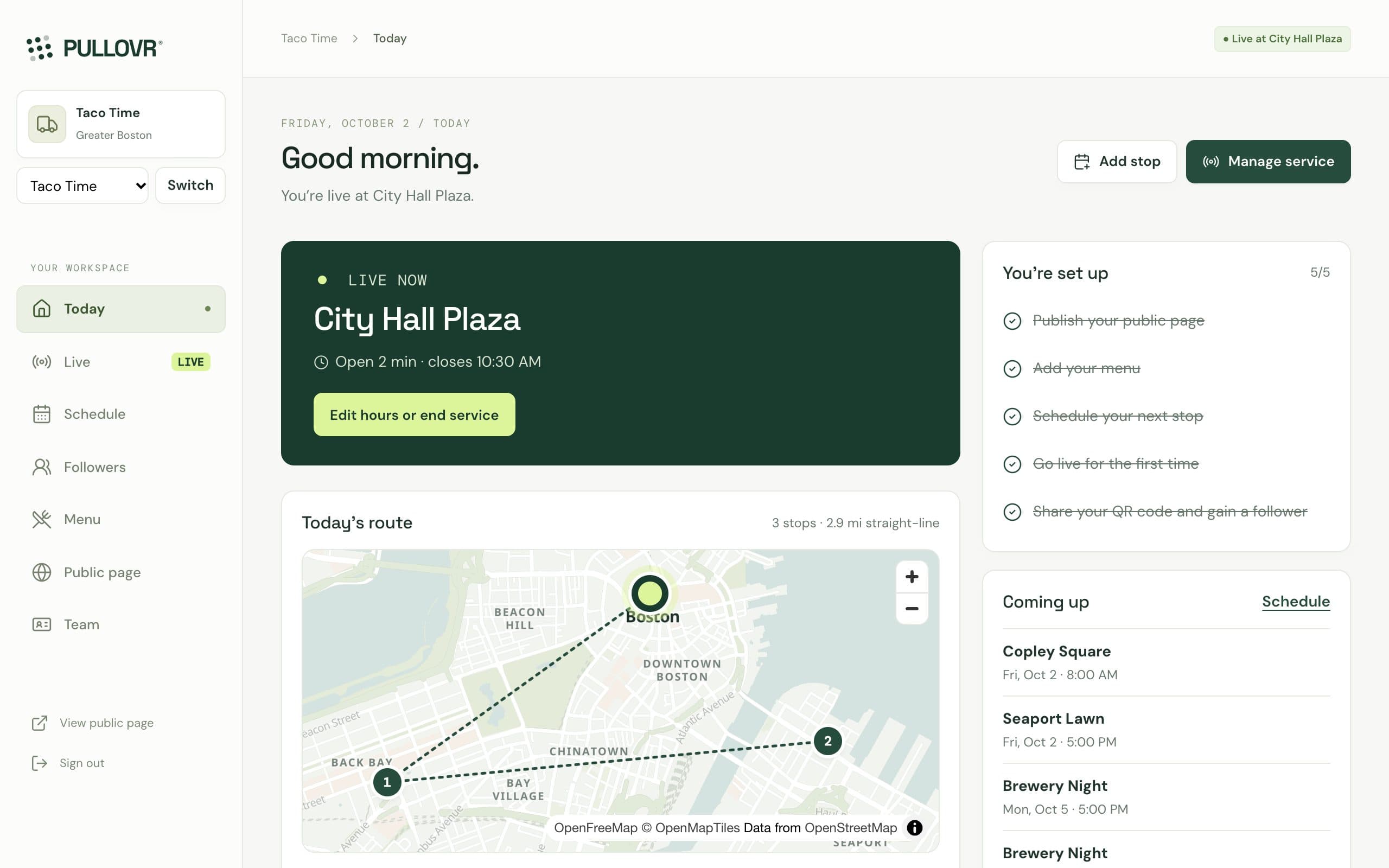
Real screens, not mockups.
Real screens from the app, with a sample truck.
Orders come in paid. Nobody yells names.
Order on the phone, then work the ticket. Delivery goes out with an Uber courier.
- Received (current)
- Preparing
- Ready
- With courier
Is this stop worth coming back to?
Drag in your last stop. See its profit per hour.
- One more order every hour adds $9.52 to your hourly profit at this ticket and food cost.
- The first 8 orders just pay the venue fee.
Your numbers, transparent math. In the app, connect Square or import a CSV from any POS, and PULLOVR estimates this for every stop, so you compare spots on evidence instead of memory.
Plugs into what you already use.
Direct connections, not just file uploads: Square sends your sales on its own, Stripe takes payments, Uber Direct sends couriers.
Square
Direct connection · Live sales sync- Orders, refunds and menu sync on their own
- Each sale matched to the stop it happened at
- Connects to your Square account directly, no files
On another register? Import its sales export
- Square
- Toast
- Clover
- Shopify POS
- Lightspeed
- SpotOn
- Revel
- Heartland
…and any register that exports sales. Names and logos belong to their owners; listing them isn’t a partnership.
Set the week once. Stop answering where you are.
Change a day. See what customers see.
Tap a day to set a stop
- Fewer “where are you?” messages
- Repeats weekly, up to 26 weeks
- Private jobs stay off your page
- Mon Copley Square11 AM–2 PM
- Tue Seaport offices11:30 AM–2:30 PM
- Thu Brewery Night5–9 PM
- Fri Copley Square11 AM–2 PM
1 private booking stays on your agenda only
Turn the line into regulars.
One QR to your page, menu and socials. An email when you go live.
Turn a line into regulars
Scan, choose text or email, done.
- Scan at the window
- Follow
- Done
No app to download. The code opens the truck’s page:
- Where & until when
- Menu
- Website
- Call
What happens after they follow
- 1You go liveFollowers get an email with where and until when.
- 2They show upOne tap to directions and your closing time.
- 3You see who keeps coming backRepeat, at-risk and lapsed customers, plus loyalty rewards.
One-click unsubscribe in every email.
Operate. Grow. Understand.
Everything a truck needs, in one place.
Operate
Run the day without juggling apps.
- Guided setup: business, truck, page, sharing
- Go live with exact, venue or area sharing
- Weekly schedule, public or private
- Maps of your route and spots
- Menu with sold-out state
- Order ahead, paid to your own Stripe
- Kitchen queue for online orders
- Delivery through Uber Direct
- Prep list for each stop, from past sales
Grow
Own the audience you earn at the window.
- Public page and QR codes per placement
- Followers with consent per channel
- Self-service unsubscribe and delete
- Email alert to followers when you go live
- Customer list with repeat and lapsed regulars
- Loyalty rewards
- Event booking requests, quotes and deposits
Understand
Decide with evidence, not memory.
- Square sales sync, or CSV from any POS
- Estimated profit per stop and per hour
- Menu performance by item
- Weekly report, by email if you want it
- Insights on your best spots and times
Try it before you trust it.
profit = sales − food − labor − card fees − venue fee − fuel
per hour = profit ÷ hours open
Missing inputs stay blank, never zero.- No background tracking
- Never left “open” after closing
- No pre-ticked consent
- Staff don’t see customer contacts
- No guessed numbers
Straight answers.
Do I have to replace my POS?
No. It works alongside it. Connect Square, or import a CSV from any POS, and every sale is matched to the stop it happened at.
Can customers order ahead or get delivery?
Yes. Customers order and pay from your page, and the money goes to your own Stripe account. PULLOVR takes no cut of the food. Delivery goes out with an Uber Direct courier.
Do customers need to download an app?
No. Your QR opens your page in any phone browser: where you are, your menu, Instagram, website and phone number.
Is my location tracked?
Only when you tap. Share the exact pin, the venue, or a ~1 km area. Service ends on its own at closing time.
Who owns my followers?
You do. Consent is recorded for each channel, and followers can change their choices or delete their details any time.
What does it cost?
The demo workspace is free to explore, with no account needed.
What if there’s no signal at my stop?
Your page keeps what you last published, and service still ends at closing time. That runs on our server, not your phone.
Does it work for carts, trailers and pop-ups?
Yes, if you sell from different places on different days.
Can my staff use it?
Yes. Staff can run service without seeing customer contact details.
See it working. Try the whole workspace today.
No POS change required.